Best Crypto Hardware Wallet: A Comprehensive Guide to Secure Your Assets
The fundamental rule of cryptocurrency is simple: if you don’t own your keys, you don’t own your assets. Leaving your crypto on an exchange means trusting a third party with your wealth. To truly secure your investment, you must move your private keys into “cold storage”—offline environments that are physically disconnected from the internet.
Hardware wallets provide that level of protection, creating a barrier against the malware, phishing, and exchange hacks that compromise millions of dollars every year. However, the technology has evolved. While traditional wallets rely on a single 24-word recovery phrase (which can be lost or stolen), newer “seedless” models use decentralized backups to eliminate single points of failure.
In this guide, we evaluate the best crypto hardware wallets on the market, ranging from industry-standard mobile devices to next-generation decentralized security models.
Cypherock X1 – Seedless Multi-Factor Security
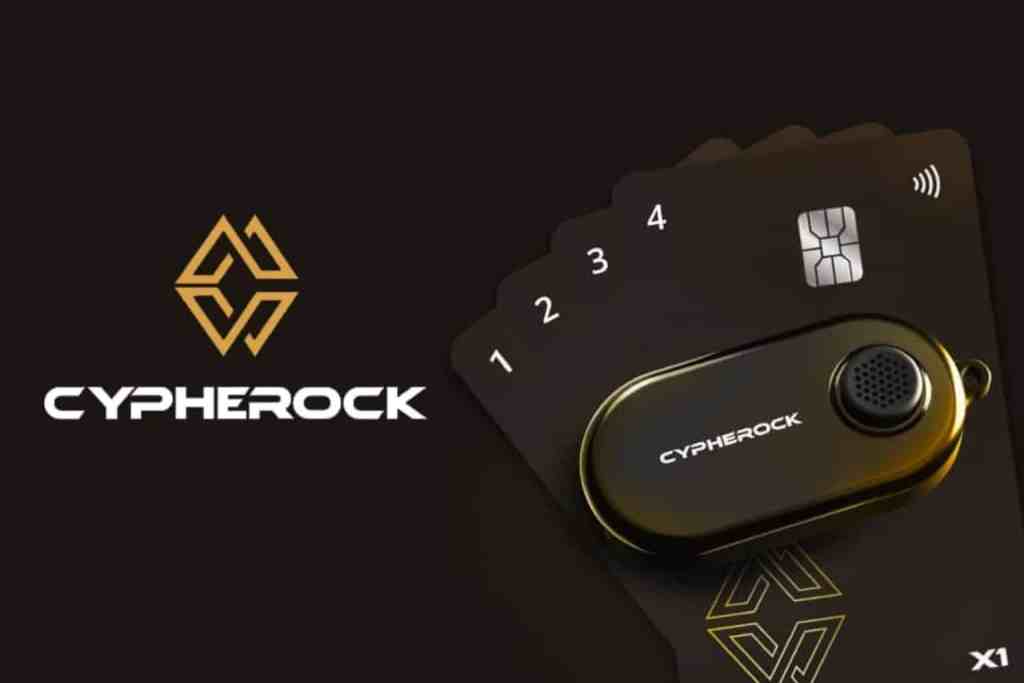
The Cypherock X1 is a next-generation hardware wallet that decentralizes your private key using a Vault device plus four encrypted NFC cards. By using Shamir’s Secret Sharing, it splits your secret into 5 “shards.†You only need any two parts (e.g., the Vault + one card) to recover funds or sign a transaction.
The User Experience
Our research into community feedback suggests that while the setup takes longer than a traditional wallet (roughly 15–20 minutes to sync the cards), the day-to-day use is remarkably stress-free. Users particularly appreciate the “seedless” nature, which removes the anxiety of hiding a 24-word paper backup that could be found or destroyed.
Pros:
- No single point of failure (seed phrase)
- EAL6+ certified secure elements
- excellent for inheritance planning
Cons:Â
- Desktop-only (mobile app is still in development for 2026)
- more physical components to manage than a standard wallet
The Verdict
The Cypherock X1 is the best choice for long-term “HODLers” and estate planning. If you are terrified of losing a paper seed phrase, this decentralized model is the solution.
Our Overall score: 4.5/5
Ready to go seedless?
Ledger Nano X – Mainstream Bluetooth Wallet

The Ledger Nano X is the industry standard for users who want a polished, mobile-first experience.
It connects via Bluetooth to the Ledger Live app, allowing you to manage over 5,500+ assets, stake for rewards, and swap tokens directly from your smartphone.
The User Experience
Our research found that Ledger Live is widely considered the best software in the business. However, “security purists” often point out that Ledger’s firmware is closed-source.
Additionally, some users find the two-button navigation on the device itself to be “clunky” when entering long PINs or verifying complex smart contract addresses.
Pros:
- Seamless Bluetooth connectivity
- massive asset support
- highly intuitive companion app
Cons:
- Closed-source OS
- small screen can make “clear signing” difficult for complex DeFi transactions
The Verdict
Best for active traders and beginners who want a “bank-app” feel on their phone. If you value convenience and a massive ecosystem, Ledger is the market leader for a reason.
Our Overall Score: 4/5
Trezor Model T – Touchscreen Open-Source Wallet

The Trezor Model T is a premium touchscreen wallet from SatoshiLabs. Its standout feature is that its firmware is 100% open-source, meaning the global security community can audit the code to ensure no backdoors exist.
The User Experience
The color touchscreen is a significant upgrade over button-based wallets, making PIN entry much faster.
However, the device is larger and feels more “plastic” than the metal-shielded Ledger. It’s also important to note that it doesn’t have a battery or Bluetooth, meaning you’ll almost always be using it with a USB cable.
Pros:
- Fully transparent open-source code
- easy-to-use touchscreen
- supports Shamir Backup (SLIP-39)
Cons:
- No iOS support (Android and Desktop only)
- touchscreen can be sensitive for users with larger hands.
The Verdict
The “Purist’s Choice.” If you live by the mantra “Don’t Trust, Verify,” Trezor is the most transparent and community-vetted device on the market.
Our Overall Score: 4/5
KeepKey – Easy Swap Wallet with Large Display
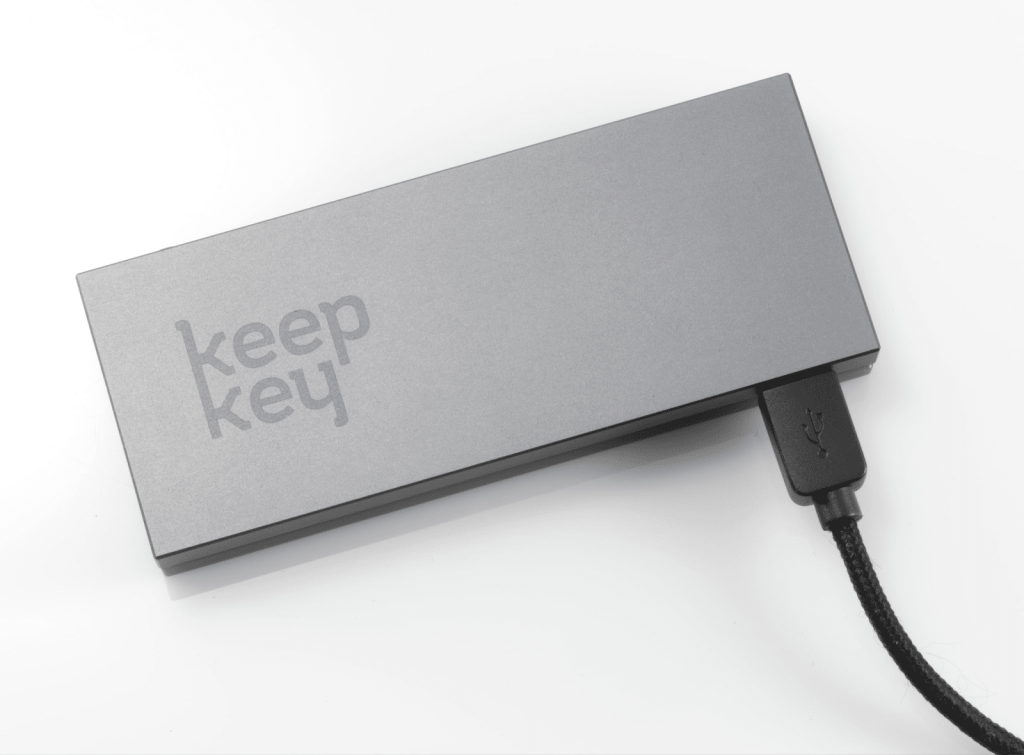
KeepKey is a sleek, minimalist wallet known for its massive 3.12-inch OLED screen. It is tightly integrated with the ShapeShift platform, allowing for decentralized swaps without needing a separate exchange account.
The User Experience
The large screen is its biggest advantage, making it nearly impossible to misread a destination address. However, it supports a smaller range of assets (around 40+ major coins) compared to its competitors. It’s a “desktop-heavy” device that feels premium but lacks the portability of the Nano X.
Pros:
- Highly affordable
- the largest screen in its class
- beautiful anodized aluminum casing
Cons:
- Limited asset support
- no Bluetooth
- micro-USB port feels dated compared to modern USB-C
The Verdict
Best for Bitcoin-heavy investors on a budget. If you only hold major assets and want the clearest possible screen for transaction verification, KeepKey is a solid, stylish choice.
Our Overall Score: 3.5/5
Comparison of Best Crypto Hardware Wallets
| Wallet | Best For… | Key Advantage |
| Cypherock X1 | Inheritance & Recovery | No single seed phrase (Seedless) |
| Ledger Nano X | Mobile Trading | Most polished app ecosystem |
| Trezor Model T | Transparency | Fully open-source firmware |
| KeepKey | Beginners on a Budget | Large screen for easy verification |
How We Evaluated The Wallets (Our Methodology)
To provide an objective ranking of the best crypto hardware wallets, we evaluated over a dozen devices using a weighted framework. Since the crypto landscape has moved toward more complex smart contracts and decentralized finance (DeFi), our criteria focus on modern security threats and long-term asset recovery.
Our evaluation is based on five core pillars:
1. Security Architecture (35%)
We prioritize wallets that utilize high-grade secure chips (EAL6+ or equivalent) and offer “Air-Gapped” or decentralized storage options. We specifically look at:
- Key Generation: Does the device use a true random number generator (TRNG) offline?
- Tamper Resistance: Does the hardware have physical defenses against “side-channel” attacks?
- Firmware Transparency: Is the code open-source and auditable by the security community?
2. Recovery & Backup Reliability (25%)
A wallet is only as good as its backup. We evaluated how each device handles the “Single Point of Failure” risk. Devices that offer Shamir’s Secret Sharing (SLIP-39) or Seedless NFC recovery (like the Cypherock X1) scored higher than those relying solely on a single 24-word paper backup.
3. Clear Signing & Transaction Verification (20%)
With the rise of phishing and malicious smart contracts, being able to see exactly what you are signing is vital. We also scored wallets based on:
- Display Quality: Can you read the full address and contract data without scrolling?
- Calldata Decoding: Does the wallet translate complex blockchain code into human-readable text?
4. Ecosystem & Compatibility (15%)
We also tested how well these wallets integrate with the tools you actually use, including:
- Software: Integration with Ledger Live, Trezor Suite, or third-party apps like MetaMask and Rabby.
- Connectivity: Support for USB-C, Bluetooth (for mobile), and NFC.
- Asset Support: The ability to hold 5,000+ assets across multiple chains (Ethereum, Solana, Bitcoin, etc.).
5. Community Track Record (5%)
Finally, we look at the brand’s history.
Has the company ever had a hardware-level breach? How quickly do they respond to disclosed vulnerabilities? We prioritize brands with a “battle-tested” reputation and transparent communication.
Conclusion
Choosing a hardware wallet depends on your priorities. All of the above devices are more secure than software wallets, but they trade off ease, connectivity, and price.
Cypherock X1 stands out for users who value ultimate security and seedless recovery – its multi-part design removes single points of failure. Its inheritance-friendly features and multi-wallet support make it ideal for long-term holders and estates.
At the same time, mainstream wallets like Ledger Nano X and Trezor Model T are excellent for convenient daily use and broad ecosystem integration.
We encourage you to evaluate your needs (coin support, usability, backup preference) and consider Cypherock X1’s enhanced protections and simplicity as a top-tier option for securing your crypto.
Frequently Asked Questions
What features should I look for in a crypto hardware wallet?Â
Advanced designs may offer air-gap operation (no direct connectivity) or multi-factor backups. You’ll also want wide coin support for your assets, plus a reputable user interface (companion app or dashboard) for ease of use. Open-source firmware and third-party audits are big pluses for transparency.
How do these wallets differ in recovery and usage?Â
Losing that phrase means losing funds. Cypherock X1 replaces the seed phrase with Shamir’s Secret Sharing, so your recovery key is split across multiple cards. If you lose one of the cards, you can still recover with the others.Â
Ledger and Trezor offer familiar HD wallets with optional passphrase layers, whereas Cypherock offers true seedless recovery.Â
Choose based on your comfort: traditional seeds are simpler, while Cypherock’s method adds security at the cost of extra parts.
How can I recover funds if I lose a device?
For Cypherock, recovery means gathering the Vault plus the minimum number of NFC cards (e.g., Vault + 1 card) and following its app instructions. It’s still fully offline: the shards are combined via NFC to regenerate your private key. In all cases, keep backups (written or physical) in secure, separate locations to avoid single points of failure.
Do these wallets integrate with exchanges or apps?
Some wallets support connectivity with decentralized apps via WalletConnect (e.g. SecuX) or integrate directly with exchanges. Notably, KeepKey has native ShapeShift integration, enabling in-device swaps without leaving the interface.Â
Always verify any on-screen details before confirming trades.
Which is the best crypto hardware wallet for a beginner?
Cypherock X1 is more complex (multiple cards and settings) but comes with step-by-step guidance, so it’s still accessible if you follow instructions. If simplicity is your priority, wallets with Bluetooth/mobile apps (Ledger, Trezor, or SafePal) can feel more straightforward.Â
However, for maximum long-term security and ease of inheritance planning, Cypherock’s architecture offers unique advantages.


