
Best Crypto Tax Calculators for U.S. Users
Cryptocurrency investors in the United States face complex tax reporting requirements.
The IRS treats crypto as property, meaning each sale or exchange is a taxable event that must be reported (typically on Form 8949 and Schedule D). Manually tracking every trade, airdrop, or NFT sale can be overwhelming.
Fortunately, crypto tax software (also known as crypto tax calculators) can automate this process. These tools import data from exchanges and wallets, apply U.S.-specific tax rules, and generate IRS-compliant tax reports.
This article reviews the best crypto tax software for U.S. users – comparing free and paid options – with a focus on IRS reporting needs, support for U.S.-based exchanges, DeFi/NFT tracking, and other key features.
Why Use a Crypto Tax Calculator in the USA?
U.S. crypto traders are required to report all taxable crypto transactions, including sales, trades, and certain rewards.
Starting with the 2023 tax year, the IRS explicitly asks taxpayers if they transacted in digital assets and requires accurate reporting of any income or gains. Crypto tax tools act as IRS crypto reporting tools by automatically calculating gains/losses and preparing the necessary forms (like Form 8949).
They connect to major U.S. exchanges (e.g. Coinbase, Kraken, Gemini) via API or CSV, consolidate your transaction history, and apply cost-basis and holding period rules. Many also support newer activities like DeFi interest, staking, and NFT trades – which standard tax software might not handle well.
Using a dedicated crypto tax app can save time and reduce errors. Rather than juggling spreadsheets, these apps handle high volumes of data and apply IRS rules consistently. They often integrate with popular tax filing software (TurboTax, TaxAct, etc.) for easy filing.
Some provide real-time portfolio tracking and tax-loss harvesting insights to help you plan throughout the year. In short, if you traded or earned crypto, a reliable crypto tax calculator will simplify calculating crypto taxes and help ensure you remain compliant.
Comparison of Best Crypto Tax Calculators (U.S.)
Below is a comparison of leading crypto tax calculators available to U.S. users. It covers both free and paid tools, highlighting their price tiers, exchange integrations, support for IRS Form 8949, DeFi/NFT capabilities, audit assistance, user interface, and customer support.
| Tool | Price Tiers | Exchanges/Wallets | Form 8949 Generation | DeFi/NFT Support | Audit Assistance | User Interface (UI) | Customer Support |
| Koinly | Free preview; ~$49–$179/year (tiers by tx count) | 800+ exchanges & wallets | Yes | Yes (DeFi, NFTs supported) | No direct CPA service (self-service reports) | Clean & simple UI | Email & live chat support |
| CoinLedger | Free import preview; $49, $99, $199/year (tiers by tx count) | 350+ exchanges, major wallets | Yes | Yes (DeFi & NFTs) | Audit trail report provided | Easy, straightforward interface | Email & chat support (U.S.-based help) |
| CoinTracker | Free up to 25 tx; ~$59+ tiered plans (scales to 1M+ tx) | 500+ integrations (exchanges/wallets) | Yes | Yes (basic NFT/DeFi; complex DeFi may need manual tweaks) | No special audit features (standard reports only) | User-friendly; real-time tracking | Email & chat support (active help center) |
| CoinTracking | Free up to 200 tx; paid plans ~$156/year or lifetime license | 300+ exchange/wallet sources | Yes | Yes (broad asset support; DeFi/NFT via manual import) | Yes – access to tax advisors network | Comprehensive analytics (UI is powerful but a bit dated) | Email & chat support; tax advisor Q&A available |
| ZenLedger | Free up to 25 tx; $49 (100 tx), $199 (1k tx), $399 (unlimited) | 400+ exchanges; 100+ DeFi protocols; 10+ NFT platforms | Yes (IRS-ready reports) | Yes (DeFi, NFT, and crypto income) | Yes – full-service filing available (CPA can prepare/efile) | Intuitive and guided UI (alerts for missing data) | Email, live chat & phone support (robust customer service) |
| CryptoTaxCalculator | Free to import; ~$49+ paid tiers for reports (by tx count) | 400+ integrations (exchanges, DeFi protocols) | Yes (IRS forms supported) | Yes (excellent DeFi & NFT support) | No (self-service only; detailed categorization for audit trail) | Modern design; some learning curve for advanced DeFi setups | Email support (help center for complex scenarios) |
| TokenTax | $65 Basic (500 tx, Coinbase-only); $199 Premium (5k tx); higher tiers up to $3,499 with CPA support | All major exchanges & wallets (Basic plan limited to Coinbase API) | Yes | Yes (DeFi, NFTs, margin/futures supported) | Yes – CPA consultation and IRS audit assistance in higher plans | Functional interface; focus on data & reports (full-service option available) | Email support; dedicated tax expert support at top tiers |
| Bitcoin.Tax | Free for up to 20 trades; paid plans for more trades (basic pricing) | Limited exchange integrations (manual CSV import) | Yes (basic Form 8949 & TXF output) | No (designed for simple trades, no DeFi/NFT features) | No (outdated tool with no audit support) | Very basic UI (outdated but simple) | Email support (community forums) |
Table: Comparison of popular crypto tax tools for U.S. users, covering pricing, integrations, IRS form support, DeFi/NFT capabilities, audit assistance, usability, and support channels.
Koinly

Koinly is one of the most established crypto tax platforms, known for its simplicity and broad support. It can generate U.S. tax forms like Form 8949 and Schedule D in minutes and directly export to TurboTax.
Koinly supports over 800 exchanges, wallets, and blockchains, covering all major U.S. exchanges and many DeFi protocols. It doubles as a portfolio tracker, letting you monitor holdings and unrealized gains year-round. Pricing is tiered (starting around $49 for 100 transactions, up to higher plans for thousands of transactions).
While Koinly’s web interface is clean and user-friendly, the free plan is limited – you can import and view data for free, but must upgrade to download tax reports. Strengths: Very easy to use, comprehensive integration support, and reliable IRS-compliant reports. Weaknesses: The free tier doesn’t allow form export, and the platform focuses purely on tax reporting (with fewer extra features beyond calculations).
Overall, Koinly is ideal for mainstream U.S. investors who want a fast, hassle-free way to calculate crypto taxes and generate accurate forms.
CoinLedger (CryptoTrader.Tax)

CoinLedger (formerly CryptoTrader.Tax) is a straightforward crypto tax software popular for U.S. filers. It integrates with 350+ exchanges and platforms – from Coinbase and Kraken to DeFi protocols like Uniswap and Aave – plus wallets like MetaMask.
That makes it easy to import all your trades, swaps, and even NFT transactions in one place. CoinLedger automatically generates every tax report you might need: IRS Form 8949, income reports, capital gains summaries, audit trail reports, and more.
Users can preview their gains/losses for free; you only pay (tiers from $49 to $199) when you need to download the full tax report.
Reviewers praise CoinLedger’s guided integration process – it provides step-by-step instructions (with videos) to connect each exchange or wallet, making the data import “kind of fun†according to one review. Strengths: Excellent support for DeFi income and NFT tracking, which is why it’s often recommended for crypto users earning staking interest or trading on DEXes. The interface is beginner-friendly, and it offers direct export to TurboTax and other filing software. Weaknesses: No true free tier for final reports (only previews), and international support is somewhat limited (focus is on U.S. and a handful of countries, with the U.K. notably missing).
Overall, CoinLedger is a great choice to calculate crypto taxes if you want a painless, U.S.-focused tax solution that handles everything from basic trades to DeFi complexities.
CoinTracker

CoinTracker is both a crypto portfolio tracker and a tax calculator, making it useful year-round for tracking gains. It supports 500+ exchanges and wallets (and 100+ countries), with strong support for syncing wallet addresses directly for on-chain transactions.
CoinTracker is known for its real-time portfolio tracking and a polished mobile app, and it can seamlessly output your data to TurboTax when tax season comes.
U.S. users can even use it for free if they have only a few trades – the free plan covers up to 25 transactions, after which tiered plans start at around $59 for 100 transactions. This scalability means it can handle everything from casual traders to millions of transactions, though costs can rise for high-volume users. Strengths: CoinTracker is praised for its simplicity and ease of use – users like its clean interface and appreciate how easy it is to sync accounts (it’s even an official tax partner of Coinbase).
It provides Form 8949 and Schedule D tax reports and even supports tracking NFTs and DeFi, though very complex DeFi activity might require some manual categorization. Weaknesses: The pricing can become expensive for heavy traders with lots of transactions, and some users note that complicated DeFi or staking transactions may not auto-classify perfectly. In summary, CoinTracker is a high-quality tool best suited for those willing to pay a premium for convenience – it shines for everyday portfolio tracking and then doubles as a solid crypto tax software (USA compliant) when you’re ready to file.
CoinTracking
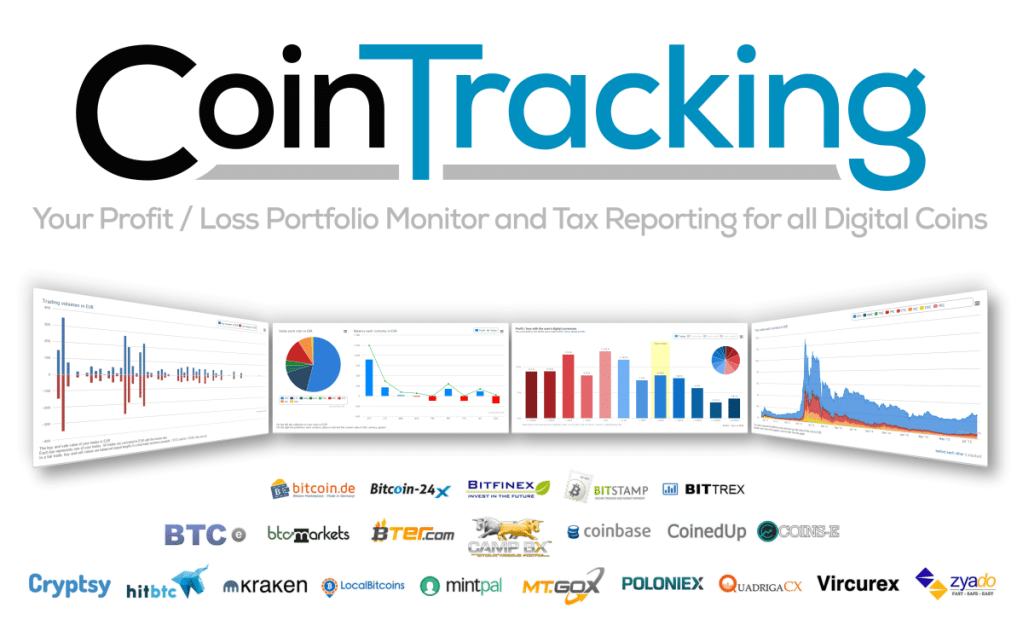
CoinTracking is a veteran in the crypto tax space – one of the oldest and most feature-rich platforms.
It offers a robust suite of tools that goes beyond tax calculations, including 25+ customizable reports, portfolio analytics, and historical data tracking. With 110+ exchanges via API (300+ sources with CSV) supported, CoinTracking can aggregate all your transactions and even handle obscure altcoins (it has price data for 26,000+ cryptocurrencies).
U.S. filers can generate Form 8949 and Schedule D reports easily, and the software supports tax calculation methods like FIFO, LIFO, etc., across 120+ countries for those with international filing needs.
Notably, CoinTracking also has a network of tax professionals available – users can get help from CPAs or request full tax services if needed. Strengths: Extremely comprehensive and scalable – it has a free tier (up to 200 transactions) and paid plans that offer great value especially if you have thousands or even hundreds of thousands of transactions. It’s trusted by professionals (over 25,000 CPAs use it) and has been praised in outlets like Forbes and CNBC for its accuracy. Weaknesses: The interface can feel dated or overwhelming to new users – CoinTracking prioritizes depth of data over sleek design.
It may take some time to learn all the features. Additionally, while it supports DeFi/NFT transactions, it might rely on manual data imports or classifications for some newer protocols. Overall, CoinTracking is best for power users or high-volume traders who want detailed control, extensive reporting options, and possibly access to expert support for their crypto taxes.
ZenLedger

ZenLedger is a U.S.-based crypto tax platform that emphasizes ease of use and full-service options.
It supports 400+ exchanges, 50+ blockchains, 100+ DeFi protocols, and even 10+ NFT platforms – so it can handle everything from simple trades to yield farming and NFT flipping. ZenLedger integrates seamlessly with TurboTax and other tax software, and all its output reports are IRS-friendly for direct submission.
A unique aspect of ZenLedger is that it offers both DIY tax calculation plans and a premium Full Service plan where a crypto-experienced CPA will prepare and file your return for you.
The DIY tiers range from a free plan (up to 25 transactions) to paid plans at $49 (100 transactions), $199 (1,000 transactions), and $399 (unlimited transactions). Strengths: Known for a smooth, user-friendly interface with helpful guidance – for example, it alerts you if you import a wallet with outgoing transactions but haven’t added the receiving wallet (to prevent missing data).
It’s often touted as the best crypto tax software for ease of use. Customer support is a strong point: ZenLedger provides live chat and phone support (rare among crypto tax tools) even to free users. It’s capable of handling DeFi and NFT taxes and has features like a tax-loss harvesting tool and mining income reports. Weaknesses: The higher-tier plans can be pricey compared to some competitors, especially if you need the full CPA service (which can cost upwards of $999).
Also, while ZenLedger supports many DeFi assets, its support for some newer chains is not as extensive as Koinly’s according to comparisons. In summary, ZenLedger is an excellent choice for U.S. investors who want an easy-to-use crypto tax calculator and the safety net of professional assistance. It’s especially suitable if you might want to outsource the filing to a CPA after computing your data.
CryptoTaxCalculator

CryptoTaxCalculator (CTC) is a newer entrant designed with DeFi and NFT enthusiasts in mind. It supports an extensive range of crypto activities: complex DeFi transactions (like liquidity pool events, yield farming, lending), NFT trades, staking rewards, airdrops, and more.
The platform claims support for hundreds of protocols across multiple chains and boasts “over 1 million cryptocurrencies and 3,500+ integrations†if you include all tokens and DeFi platforms.
For U.S. users, CryptoTaxCalculator produces IRS-ready tax reports and includes guidance on country-specific tax rules (covering the U.S., UK, Canada, Australia, etc.)
The usage model is similar to Koinly/CoinLedger: you can import all your data for free and review your calculated tax, but you’ll need a paid plan (starting around $49/year and up, depending on number of transactions) to download full reports. Strengths: Excellent DeFi and NFT support – this tool is often recommended for active DeFi traders who have lots of complex transactions that other software struggle with.
It offers granular categorization and tagging, which helps ensure accuracy even for convoluted multi-step DeFi operations. The interface is modern and visually appealing, making a daunting task (crypto taxes) feel more approachable. Weaknesses: There can be a learning curve due to the very flexibility that makes CTC powerful. N
ew users might need to invest some time in reviewing and classifying certain transactions, especially if the software isn’t sure how to label them. Also, CTC doesn’t offer in-house CPA services or one-on-one tax advice – it’s a pure self-service tool (their support team can answer software questions, but won’t manually fix your data). In short, CryptoTaxCalculator is best for tech-savvy crypto investors (particularly those deep into DeFi/NFTs) who need precise control and support for cutting-edge crypto activities. It will accurately handle scenarios that can confuse other tax calculators, as long as you take the time to configure it properly.
TokenTax

TokenTax distinguishes itself by being both a crypto tax software and a full-service accounting firm.
It’s an official TurboTax partner and was one of the early crypto tax services (founded in 2017). TokenTax supports all kinds of crypto transactions – including DeFi trades, NFT sales, margin trading, and even international exchange activity – and can generate every form you might need.
Where TokenTax really shines is in its human element: all paid plans include some level of expert help, and higher-tier plans come with one-on-one sessions with a tax professional and even IRS audit assistance.
For example, the Premium plan ($199/year) supports up to 5,000 transactions and allows all exchanges, DeFi, and NFT activity, the Pro plan ($1,999) goes up to 20k transactions, and the top VIP plan ($3,499) includes two 30-minute CPA consultations and a full return review, covering unlimited transactions.
(There’s also a Basic $65 plan, but it’s limited to 500 transactions and only imports from Coinbase, which many find too restrictive.) Strengths: TokenTax is often recommended for professional traders and high-net-worth individuals who want peace of mind. It offers features like tax-loss harvesting dashboards, international FBAR reporting, and priority support.
The biggest advantage is the access to crypto-savvy accountants – they can do advanced reconciliation of your data and even handle your tax filing if you opt for those services. Weaknesses: The cost is relatively high for large traders – as one review noted, beyond a few thousand transactions, TokenTax’s pricing “is so high that it’s likely only pros and businesses will want to pay the bill.â€
The cheapest plan is also quite limited in integration (only Coinbase API), effectively pushing most users to the more expensive tiers. Also, unlike some competitors, TokenTax doesn’t have a free tier or portfolio tracking features – it’s focused on annual tax prep. In summary, TokenTax is the go-to solution if you need individualized tax support or have a very complex situation. Casual U.S. investors might find it overkill, but for those who want an expert looking over their crypto taxes (and are willing to pay for it), TokenTax offers a comprehensive, audit-ready service.
Other Notable Tools
- TaxBit: Once popular among U.S. users, TaxBit pivoted in late 2023 to focus solely on enterprise and government services, discontinuing its consumer tax product. It now powers exchange and IRS reporting (like the new 1099-DA forms) behind the scenes, but individual investors should choose another app for DIY tax calculations.
- Accointing/Blockpit: Accointing (a Swiss/U.S. crypto tax app) was acquired by Blockpit in 2023 and merged into Blockpit’s platform. Blockpit offers a free tier (up to 25 transactions) and paid plans, similar to others, and is strong in Europe while also supporting U.S. taxes. It’s a solid choice if you were an Accointing user or need a tool with both EU and U.S. coverage, though it’s less known in the U.S. than the tools above.
How to Choose the Right Crypto Tax Software
With many options on the market, U.S. users should consider their specific needs when selecting a crypto tax calculator:
- Transaction volume & complexity: If you made only a few trades on Coinbase, a free or low-cost tool (or even built-in exchange tax reports) might suffice. For thousands of transactions, especially involving DeFi or cross-chain activity, choose a platform known for handling high volumes and complex scenarios (e.g. CryptoTaxCalculator for DeFi, or CoinTracking for high volumes).
- Integrated exchanges and wallets: Ensure the software supports all the platforms you use. The best crypto tax software for USA will integrate with major U.S. exchanges (Coinbase, Binance.US, Kraken, Gemini, etc.) and any wallets you use (e.g. MetaMask, hardware wallets). Check the tool’s integration list – if you see your exchange and wallet there, data import will be much smoother.
- IRS forms and compliance: All the top tools listed can generate Form 8949 and the necessary schedules for U.S. taxes. However, if you need additional support (like FBAR reporting for foreign exchanges, or specific mining income reports), verify that the software provides it. Some tools also support multiple accounting methods (FIFO, LIFO, etc.) – useful if you employ a specific strategy.
- Support & audit assistance: If you’re comfortable doing it all yourself, a standard software with help articles is fine. But if you anticipate needing help, look at the support offerings. For example, ZenLedger offers phone support and even full tax filing services, and TokenTax includes CPA consultations. Such services can be reassuring if large sums are at stake or if you want extra assurance in case of an IRS audit.
- Budget: Prices vary widely. Some tools have free plans or low-cost tiers, but might charge more as your transaction count grows. Compare the pricing based on your number of trades and whether paying a premium for added features (like portfolio tracking or CPA support) is worth it. Remember, an accurate calculator might save you money by identifying deductible losses or preventing overpayment.
In essence, the best crypto tax software (USA) for you depends on your activity profile. A casual investor with a few trades might opt for a free solution like Bitcoin.Tax or a low-tier CoinLedger/CoinTracker plan. A DeFi power-user could lean towards CryptoTaxCalculator or CoinLedger for their advanced support. High-volume traders might favor CoinTracking or TokenTax, and those who want an all-in-one with professional help may choose ZenLedger or TokenTax’s higher tiers.
Conclusion
Crypto tax calculators have become essential tools for U.S. investors. They automate the tedious work of record-keeping, ensure compliance with evolving IRS rules, and reduce the risk of costly mistakes on your return. The “best†crypto tax software ultimately is one that fits your needs: consider the size of your crypto portfolio, the types of transactions you engaged in, and how much assistance you want.
All the options reviewed above can calculate your gains and generate IRS crypto reports; the differences lie in extra features, ease of use, support, and price. By evaluating these factors – and perhaps taking advantage of free trial imports to see which you prefer – you can choose the right crypto tax software to make filing your taxes a much smoother experience. Remember, no software can eliminate taxes, but the right one can make reporting them accurate, efficient, and stress-free.


